


Proton Mail: Encrypted Email
4.58.55K Reviews
App Specs
- Version
- 7.11.9
- Updated On
- License
- Free
- Downloads
- 10,000,000+
- Developer
- Proton AG
- Categories
- Communication
- Platform
- Android, iOS
Screenshots
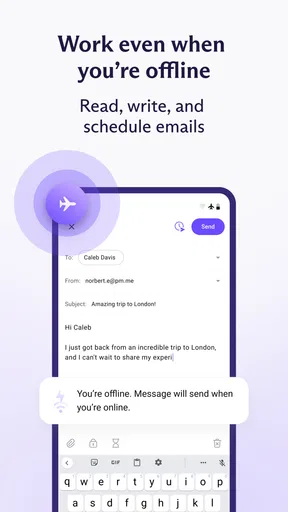
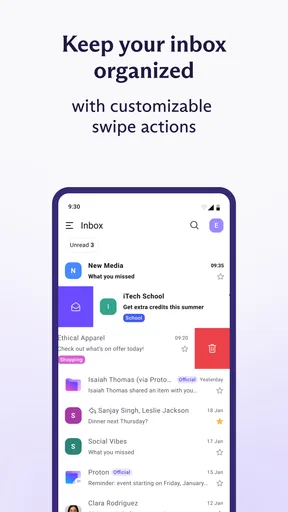
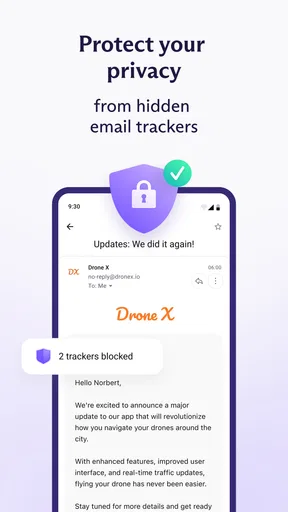
 Analysis by AppCompare
My first question with a privacy-focused email app is practical: can I use it for the ordinary stream of messages that keeps a day moving, or will security make every small task feel like work? Proton Mail is a communication app from Proton AG that aims to make protected email feel approachable. I find its appeal clearest when I treat it not as a magic shield for every message, but as a place to handle conversations where confidentiality matters and to build a more deliberate inbox routine.
Choosing it for the right kind of inbox
Email is often where personal details, account notices, work documents, and conversations with family all get mixed together. Moving to an encrypted service can make sense if you want more control over who can read the messages you send, but it is worth asking who you exchange email with. The strongest privacy benefit is most relevant when the recipient can take part in the protected exchange; an ordinary email conversation with someone using another service may not get the same end-to-end protection automatically.
That distinction shapes how I would use it. I would make it my preferred address for private correspondence, sensitive records, and accounts where I want a more privacy-conscious home, while keeping in mind that email still depends on the habits of everyone involved. If a recipient forwards a message or copies its contents elsewhere, encryption cannot control that next step. The useful mindset is to treat protection as a meaningful layer, not a reason to send anything without considering the audience.
A realistic day, from message to reply
Imagine I receive a document-related email while away from my desk. I can read it in the same mobile inbox where I handle less important messages, decide whether it needs a quick answer, and keep the conversation organized rather than leaving it buried. If the reply contains private information, I can think about whether the other person is also using a protected channel before sending. That small pause is not a flaw in the app; it is part of using encrypted email sensibly.
For everyday organization, folders, labels, and filters offer a useful way to separate recurring mail from conversations that need attention. My practical tip is to create a simple system before the inbox gets crowded: one place for messages that need a reply, another for records worth keeping, and labels for recurring topics. The point is not to build a perfect filing cabinet. It is to make the next action visible, especially when a private message arrives among routine notifications.
Expiring messages can suit a short-lived exchange, such as sharing information that should not remain available indefinitely. I would use that option selectively, though. A timer does not prevent a recipient from recording or copying what they can see, and a disappearing message is a poor substitute for a record you may need later. For anything that must be retained, I would keep an appropriate copy rather than relying on expiration as a guarantee.
How it fits beside familiar email services
Compared with a typical mainstream inbox, the main difference is not that every email task becomes radically new; it is the priority given to privacy and encryption. A familiar provider may be more convenient if all your contacts already use its tools or if you depend on a tightly connected ecosystem. Proton Mail makes more sense when reducing reliance on that routine is worth a little adjustment, particularly for conversations where confidentiality is a real concern.
Worth Reading Before You Choose

Flipboard Shows What News Apps Must Do Beyond the Feed

Switching to Android Auto Means Rethinking Your Driving Routine

Google Calendar Makes a Crowded Week Easier to Manage

Ludo King Makes the Most of the Minutes Between Plans

Baby Panda World Brings Quick Play to Modern Phones, but Its Game Library Feels Busy

ESPN’s Live Game View Makes Following Close Games Easier
Switching does involve a social handoff. People need to know which address to use, and some services or contacts may continue sending mail to an older account. I would move gradually: start with a few important conversations, update key accounts, and keep checking the previous inbox while contacts catch up. That approach avoids treating an email change as a single-day project and gives you a chance to see whether the new workflow suits you.
Who will appreciate the trade-offs
I think this app is a strong fit for privacy-minded people, freelancers handling client conversations, and anyone who wants a separate address for more personal correspondence. It is also reasonable for a newcomer who wants an accessible starting point rather than a complicated security setup. Proton Mail is free to download, is rated for Everyone, and has a 4.3 average from around 84,000 ratings, which suggests that many people find the basic experience approachable.
It is less compelling if your main goal is simply to use the same inbox and connected services as everyone around you, with no change to your habits. People who rely on a particular provider’s integrations or need a shared workflow built around another email platform should compare those needs before moving. The app has in-app purchases, with items ranging from $4.99 to $119.88, so I would begin with the free option and consider paying only if the available plan features solve a specific need rather than upgrading out of vague concern.
Getting set up and deciding whether to stay
The app has been available since March 16, 2016, and its current version is 7.7.1; it requires operating system version 10 or later. It has passed 10 million installs, but those figures do not tell me whether it fits an individual routine. What matters more is whether messages arrive where I expect, whether I can keep important threads organized, and whether the people I communicate with can use the protection I have in mind.
One helpful way to test the fit is to use it for a defined slice of your email first. Choose a few private conversations, try the folder and label approach that feels natural, and see how often you need to fall back to another inbox. If the main friction is getting contacts to use a protected exchange, that is a real limitation to weigh; if the routine feels manageable and privacy is a priority, the adjustment may be worthwhile.
Alright, folks, let’s dive into Proton Mail, the email app that’s got everyone buzzing about privacy and security. If you’re like me, you’ve probably had it up to here with those pesky ads and the constant nagging feeling that someone’s snooping on your emails. Well, Proton Mail promises to be the superhero in the realm of encrypted emails. So, let’s take a closer look at what this app has to offer.
Getting Started with Proton Mail
First things first, downloading and setting up Proton Mail was a breeze. Available on both Android and iOS, it’s just a quick trip to the app store, and you’re ready to roll. Once installed, the app greets you with a clean, minimalist interface that’s super easy to navigate. Creating an account is straightforward, and they even give you the option to set up a free email address with their signature domain. Pretty neat, right?
What caught my eye immediately was their emphasis on security. Right from the get-go, you’re prompted to set up strong passwords and recovery options. And let me tell you, it feels good knowing your email is locked up tighter than a bank vault.
The Security Features
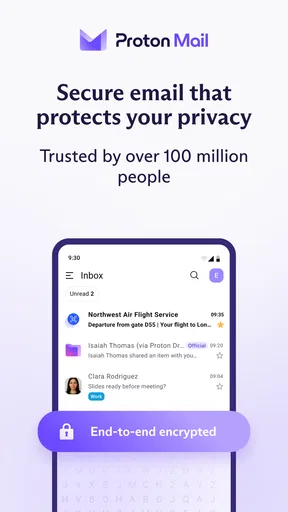
Okay, let’s talk about what makes Proton Mail stand out: the encryption. The app uses end-to-end encryption, meaning only you and the recipient can read the emails. Not even the folks over at Proton can peek inside. This feature alone gives it a massive edge over other email services.
Another highlight is the zero-access architecture. Essentially, Proton Mail can’t decrypt your emails, even if they wanted to. This is a big win for privacy advocates, and it’s perfect for those who handle sensitive information. Plus, the app is open-source, which means the tech community is constantly checking under the hood to ensure everything is up to par.
User Experience
Now, let’s chat about the day-to-day use. The app runs smoothly, with no noticeable lag or glitches. Navigating through emails is snappy, and organizing your inbox is a piece of cake with their intuitive folder system. One feature that I particularly love is the ability to send expiring emails. That’s right, you can set a timer for your email to self-destruct, Mission Impossible style!
While the free version offers plenty of features, upgrading to the premium plan unlocks extra goodies like custom domains, more storage, and priority customer support. If you’re a power user, the upgrade might be worth considering.
Design and Usability
Visually, Proton Mail sticks to a clean and uncluttered look. The design is not only pleasing to the eye but also functional, making it easy for anyone to jump in and start using it without a steep learning curve. I appreciate the attention to detail, like dark mode for those late-night email marathons.
The app supports multiple languages too, which is a big plus if you’re communicating with folks around the globe. And for those who love to stay organized, the labels and filters work seamlessly to keep your inbox tidy.
Final Thoughts
In a world where data privacy is more important than ever, Proton Mail offers a much-needed breath of fresh air. It’s not just about sending and receiving emails; it’s about peace of mind. Knowing that your communications are shielded from prying eyes is invaluable.
Whether you’re someone who deals with confidential information or just a privacy-conscious individual, Proton Mail is definitely worth considering. It’s easy to use, packed with features, and does exactly what it promises. So, if you’re ready to take back control of your inbox, give Proton Mail a whirl. You might just find it’s the email solution you’ve been searching for.
Pros
- End-to-end encryption ensures maximum privacy.
- User-friendly interface with intuitive design.
- Open-source code for transparency and trust.
- Cross-platform support for seamless syncing.
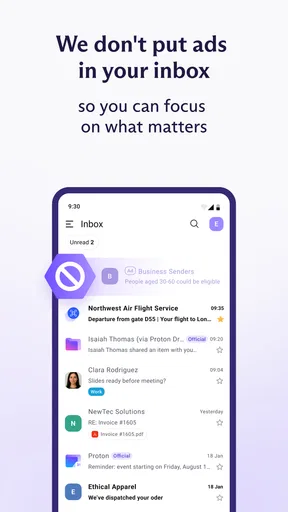
- No ads
- enhancing user experience.
Cons
- Limited storage on free version.
- No calendar integration available.
- Advanced features require paid plans.
- Occasional sync delays reported.
- Limited support for custom domains.
FAQs for Proton Mail: Encrypted Email
What makes Proton Mail different from other email services?
Proton Mail stands out due to its end-to-end encryption, which ensures that only you and your intended recipient can read your emails. Unlike many other email services, Proton Mail does not have access to your messages, providing heightened privacy. Additionally, Proton Mail is based in Switzerland, known for strong privacy laws.
Is Proton Mail free to use, or are there any costs involved?
Proton Mail offers a free tier with essential features suitable for personal use, including 500 MB of storage and limited daily messages. For more advanced features, such as increased storage and custom domains, Proton Mail provides paid plans. These plans cater to both individuals and businesses looking for enhanced capabilities.
How secure is Proton Mail against hacking and data breaches?
Proton Mail employs robust security measures, including end-to-end encryption and zero-access encryption, meaning even Proton Mail cannot decrypt your messages. Additionally, Proton Mail uses open-source cryptography and undergoes regular security audits to ensure its defenses against hacking and data breaches remain strong and reliable.
Can I use Proton Mail on both Android and iOS devices?
Yes, Proton Mail is available on both Android and iOS platforms. The app offers a seamless user experience across devices, allowing you to access your encrypted emails on the go. The mobile apps integrate all core features, such as encryption and secure attachments, ensuring consistent security and functionality.
Does Proton Mail support integration with other email clients or services?
Proton Mail primarily functions as a standalone service, focusing on security and privacy. However, integration with other services is limited to maintain its security standards. Proton Mail does offer a Bridge feature for paid users, enabling integration with email clients like Outlook and Thunderbird, while keeping messages encrypted.


